
Twinkl Australia makes it easier for teachers, parents and home educators to find quality educational materials that align with Australian learning standards. The platform brings thousands of teaching and learning resources together in one place, covering different year levels, subjects and learning needs. From printable worksheets and lesson plans to interactive activities and assessment tools, Twinkl Australia provides practical materials for different educational environments.
Whether you teach in a classroom, educate children at home or want additional learning support for a child, Twinkl Australia offers resources designed for Australian learners. Its collection can help educators save preparation time, support engaging lessons and provide students with additional opportunities to practise important skills across a range of subjects and year levels. Visit Homepage
Understanding Twinkl Australia
Twinkl Australia is an online educational resource platform that provides ready-made learning materials for schools, teachers, parents, carers and students. The service includes resources for Early Years, primary and secondary education, along with materials created to support different learning needs.
A major advantage of the Australian platform is its focus on local curriculum requirements. Many resources are designed to align with the Australian Curriculum and various state-based educational frameworks, making lesson preparation more efficient for educators.
Who Benefits From Twinkl Australia?
The platform is suitable for a broad range of users, including:
During registration, users can choose the category that best matches their role, helping the platform recommend more relevant resources and content.
Key Features at a Glance
| Feature | Description |
|---|---|
| Resource Library | Worksheets, activities, lesson plans and teaching packs |
| Curriculum Support | Materials aligned with Australian educational standards |
| Digital Learning | Interactive presentations and online activities |
| Printable Content | Downloadable resources for classroom and home use |
| Resource Saving | Bookmark and organise resources for later |
| Free Access | Selected resources available without payment |
| Premium Membership | Access to broader content libraries and additional tools |
Getting Started With a Twinkl Australia Account
Creating an account allows users to save resources, manage preferences and access membership features.
Visit the Official Website
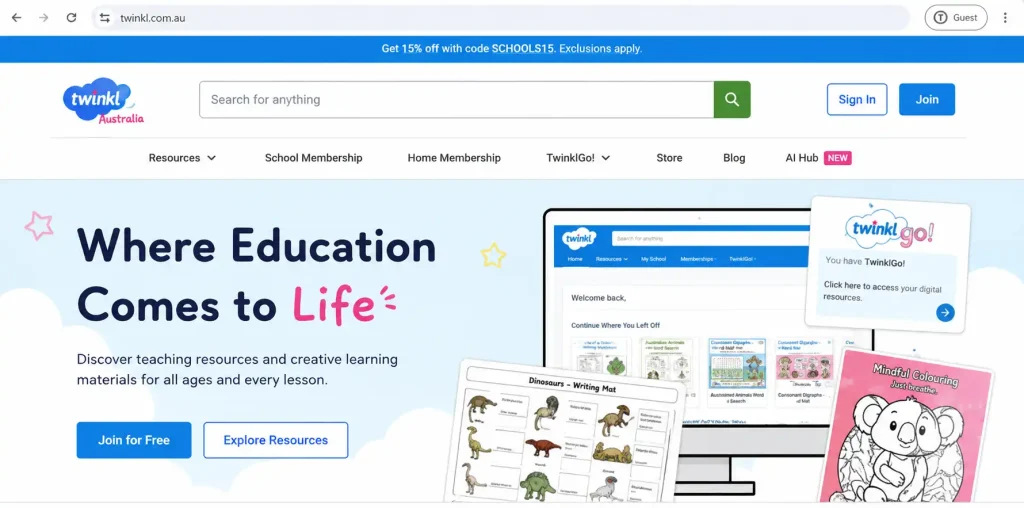
Begin by opening the official Twinkl Australia website. From the homepage, locate the account area in the top navigation menu.
You may see buttons such as:
Choose the option that matches your situation.
Create Your Account
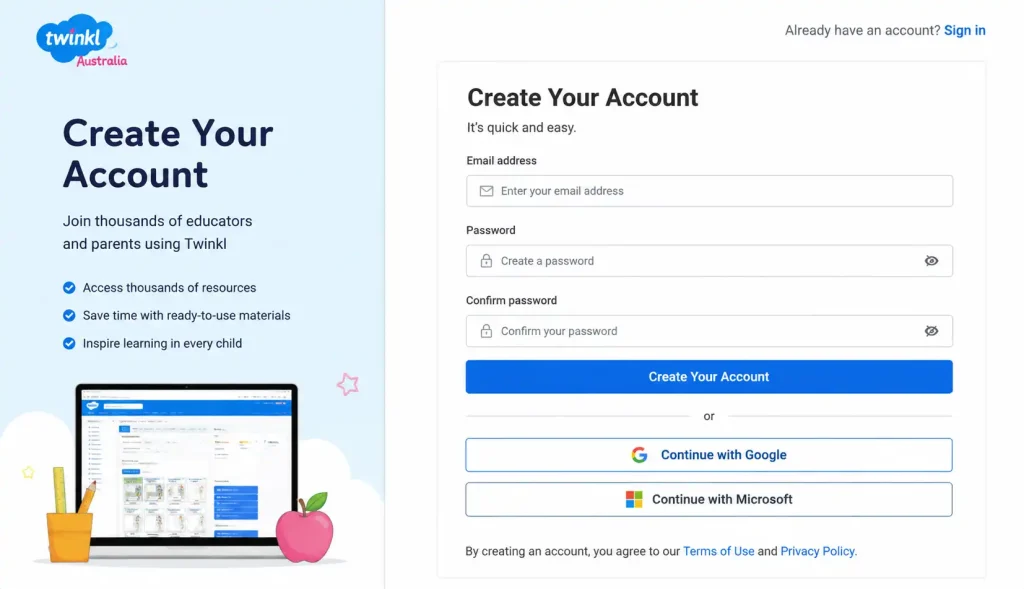
When registering, Twinkl may ask how you plan to use the platform. Common categories include:
Selecting the appropriate category helps personalise your experience.
Add Your Details
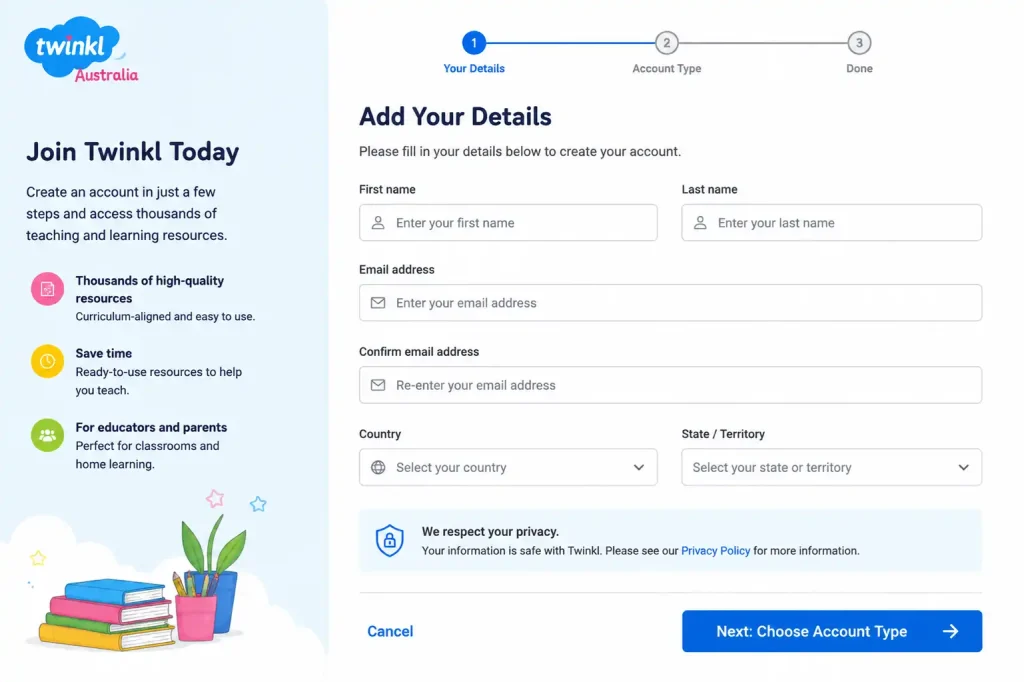
Enter the required information, including:
Always use an active email address because account verification and password recovery messages will be sent there.
Confirm Your Email Address
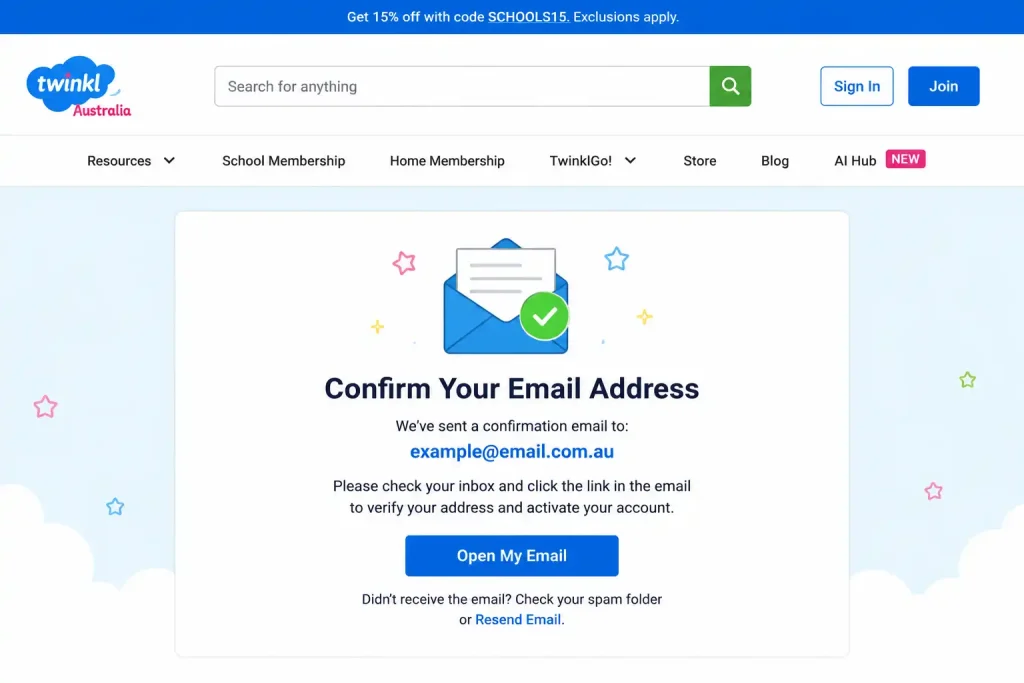
After registration, Twinkl typically sends a verification message to your inbox. Open the email and follow the activation instructions.
If you cannot find the message, check:
Once verification is completed, your account will be ready to use.
Logging Into Twinkl Australia
Returning users can access their accounts in just a few steps:
- Open the Twinkl Australia website.
- Select Log In.
- Enter your registered email address.
- Enter your password.
- Submit the login details.
If you forget your password, use the password recovery option and follow the instructions sent to your registered email account.
Free vs Premium Membership
One of the most common questions new users ask is whether a free account provides enough functionality.
The answer depends on how frequently you use educational resources and how much content you need access to.
Free Access
A free account allows users to:
This option is often suitable for occasional use.
Ultimate Membership
For users who require broader access, Twinkl offers membership options that include additional features and resources.
Benefits may include:
Because membership packages can change over time, users should always review current plans and pricing directly on the official platform before subscribing.
Finding Resources Faster on Twinkl Australia
With thousands of educational materials available, knowing how to search effectively can save a significant amount of preparation time.
Rather than browsing endlessly through categories, use targeted keywords related to the topic, curriculum outcome or learning objective you need. Specific searches generally produce more relevant results than broad terms.
Search by Topic
Many educators use searches such as:
Using detailed phrases often helps narrow results and locate suitable teaching materials more quickly.
Search Using Curriculum Codes
Teachers planning lessons against specific learning outcomes can also search using curriculum codes where supported.
For example, entering a curriculum code such as AC9M3N01 may help locate resources connected to a particular Australian Curriculum requirement.
This approach can reduce planning time because resources are linked directly to intended learning outcomes rather than general topic searches.
Exploring Resources by Educational Stage
If you are unsure exactly what resource you need, browsing by year level or learning stage can be a practical alternative.
Early Years Resources
Early childhood and Foundation materials focus on building essential skills such as:
Many activities are designed to be engaging and age-appropriate for young learners.
Primary School Resources
Primary-level materials cover a broad range of curriculum areas including:
Teachers can locate activities according to both subject area and year level.
Secondary School Resources
For Years 7–10, Twinkl Australia provides more specialised learning materials that support subject-based teaching and independent learning.
These resources may include revision activities, assessment tasks, presentations and classroom worksheets.
Additional Learning Support
The platform also includes resources created for differentiated learning environments.
Examples include:
These materials can help educators adapt learning experiences to suit different student needs.
Downloading Resources
After finding a suitable resource, downloading it is usually straightforward.
Basic Download Process
Follow these steps:
- Search for the desired resource.
- Open the resource page.
- Review the description and available formats.
- Select the preferred download option.
- Save the file to your device.
- Print or use the resource digitally as required.
Some resources offer multiple versions, so it is worth reviewing all available options before downloading.
Alternative File Formats
Many Twinkl resources are available in more than one format.
Depending on the resource, options may include:
Australian handwriting variations may be available for states such as:
This flexibility allows educators to choose materials that best suit local classroom requirements.
Saving Resources for Future Lessons
Not every useful resource needs to be downloaded immediately.
Twinkl provides features that allow users to save or favourite materials for later access.
Look for options such as:
Creating organised collections can make future lesson preparation much faster.
Suggested Organisation Method
Many educators group saved resources into categories such as:
Organising resources by subject or topic reduces the need to search again when preparing future lessons.
Digital Learning and Interactive Content
Although Twinkl is widely known for printable worksheets, the platform also includes a growing collection of digital learning tools.
Interactive content can be used on:
Depending on the resource, users may find:
Choosing the right format for the learning objective often leads to better student engagement.
Printable vs Interactive Resources
| Learning Activity | Printable Resources | Interactive Resources |
|---|---|---|
| Worksheet Practice | Excellent | Possible |
| Classroom Presentations | Useful | Excellent |
| Interactive Learning | Limited | Strong |
| Homework Activities | Effective | Effective |
| Classroom Displays | Excellent | Limited |
| Self-Marking Tasks | Limited | Excellent |
The most effective classrooms often combine both formats depending on the lesson objectives.
Twinkl Go! for Interactive Student Activities
Teachers looking for a simple way to deliver digital learning tasks can take advantage of Twinkl Go!, an interactive learning area within the Twinkl ecosystem.
Instead of requiring every student to create an individual account, teachers can often share activities using a temporary access code or PIN. This makes classroom implementation quicker and easier, especially when working with younger learners.
How Twinkl Go! Works
A typical process follows these steps:
- Teacher selects a supported activity.
- A student access code or PIN is generated.
- Students open Twinkl Go!.
- Students enter the provided code.
- The activity launches automatically.
This approach allows teachers to assign engaging digital tasks without creating unnecessary barriers for students.
Using Twinkl Australia at Home
Twinkl Australia is not limited to classroom environments. Parents, carers and home educators can also use the platform to support learning outside school.
Rather than trying to replicate a full school timetable, many families find greater success by focusing on targeted learning activities that reinforce existing classroom topics.
Examples include:
Home educators may choose to combine multiple resources into structured weekly learning plans that cover several curriculum areas.
Common Problems and Practical Solutions
Most issues experienced by users can be resolved through simple troubleshooting steps.
ZIP Files Will Not Open
Some downloads contain several files packaged within a ZIP folder.
If the contents do not open automatically:
Once extracted, the individual resources should become accessible.
Fonts Appear Incorrectly
Occasionally handwriting or cursive fonts may not display properly in browser previews.
When this happens:
This often resolves font rendering problems.
Membership Payment Issues
If subscription payments fail:
Always manage subscriptions through official Twinkl account pages rather than third-party websites.
Download Restrictions
In some situations, downloads may be temporarily limited because of automated security or fair-use protections.
If this occurs:
Contacting Twinkl Australia Support
When self-service options do not resolve a problem, users can contact Twinkl through its official support channels.
Before contacting support, prepare the following information:
Providing complete information helps support staff investigate and resolve problems more efficiently.
Tips for Getting More Value From Twinkl Australia
Experienced users often follow a few simple practices to maximise the platform’s benefits.
Use Specific Searches
Detailed search terms generally provide better results than broad keywords.
For example, searching for:
is usually more effective than simply searching for “History” or “Maths”.
Review Resources Before Downloading
Always check:
Doing so prevents unnecessary downloads and saves preparation time.
Take Advantage of Editable Resources
Where editable versions are available, teachers can adapt activities to suit:
This flexibility is particularly useful for differentiated instruction.
Save Frequently Used Materials
Instead of searching repeatedly, build a collection of favourite resources for future lessons.
Organised resource libraries can significantly reduce planning time throughout the school year.
Supporting Australian Curriculum Planning
One reason many educators choose Twinkl Australia is its strong focus on Australian educational requirements.
A practical planning process may involve:
- Identifying the learning objective.
- Reviewing curriculum requirements.
- Searching for suitable resources.
- Evaluating resource relevance.
- Adapting materials where necessary.
Remember that educational resources work best when used as teaching tools rather than complete replacements for lesson planning. Professional judgement remains important when selecting activities for specific learners and classroom contexts.
Frequently Asked Questions
Final Thoughts
Twinkl Australia has become a valuable educational platform for teachers, parents, carers and home educators seeking curriculum-relevant learning materials. With a combination of printable resources, digital learning tools, interactive activities and curriculum-focused content, the platform offers practical support for both classroom and home learning environments.
Whether you need a single worksheet, a complete lesson resource or interactive student activities, Twinkl Australia provides a central location for finding, organising and delivering educational content across a wide range of year levels and subjects.
READ MORE
ImmiAccount Login Guide (2026): Complete Registration, Visa Application & Account Management Guide
ATO Online Services for Agents (2026): Austraila Complete User Guide