

ATO Business Portal is a secure online service that allows Australian businesses to manage important tax and reporting responsibilities digitally. Although commonly called the ATO Business Portal, the service is now known as Online services for business and is operated by the Australian Taxation Office (ATO). It helps business owners, sole traders, company directors and authorised representatives access business tax information, lodge forms, make payments, manage activity statements and handle other routine tasks online.
The ATO Business Portal Login process provides a convenient way to access these services without depending on paper forms or visiting an ATO office. Businesses can use Online services for business to manage tax obligations, superannuation-related responsibilities, registrations, correspondence and reporting requirements from one secure online platform. Access generally involves using a suitable digital identity and business authorisation arrangements, making it important to have the required credentials and permissions ready before starting the login process.
What Is the ATO Business Portal?
The ATO Business Portal is the commonly used name for the ATO’s online business service. Through Online services for business, eligible users can access business tax information, lodge activity statements, review account transactions, manage payments and update selected business details.
Access is connected to a digital identity and business authorisation process. This means that users generally need both a suitable myGovID identity and an authorisation through Relationship Authorisation Manager (RAM) before they can represent a business online.
The service can be particularly useful when several tax obligations need to be managed from one place. Instead of handling each matter separately, an authorised business representative can use the online dashboard to review outstanding actions, account information, lodgments and communications.
Who Can Use Online Services for Business?
The service is intended for people who are authorised to act for a business, including:
The level of access depends on the user’s authority and the permissions assigned through RAM.
What Can You Do Through the ATO Business Portal?
Once access has been established, the service brings several common business-tax activities together.
Lodge and Review Activity Statements
Businesses can prepare and submit relevant Business Activity Statements (BAS) and Instalment Activity Statements (IAS). The relevant reporting period can be selected from the lodgment area, allowing users to enter required figures and submit the statement electronically.
Check Tax Accounts
Users can review running balance accounts, account statements, transaction histories and information relating to tax returns. This makes it easier to understand what has been recorded on the business’s ATO account.
Monitor Single Touch Payroll
Where applicable, businesses can review Single Touch Payroll (STP) reporting information and monitor year-end finalisation activities.
Manage Payment Arrangements
A business that cannot pay an eligible tax debt in full by its due date may be able to request a payment arrangement through the online service. Available arrangements depend on the circumstances and ATO requirements.
Update Business Information
Authorised users can update certain business information, including relevant addresses, contacts and financial institution details.
Communicate With the ATO
The online service also provides access to digital correspondence and secure communication features. This can help businesses manage messages and other communications without relying entirely on paper correspondence.
What You Need Before Your First Login
Before attempting an ATO Business Portal login, make sure the digital identity and business authorisation requirements are ready.
| Requirement | Purpose |
|---|---|
| myGovID | Establishes your digital identity |
| RAM | Connects your identity with business authority |
| Active ABN | Identifies the business you represent |
| Current business details | Helps ensure records can be matched correctly |
| Appropriate authorisation | Determines what you are allowed to access |
One important point is that myGovID is different from a personal myGov account. myGovID is a digital identity app used to prove who you are when accessing participating Australian government online services.
Setting Up Your Digital Identity
The first stage is creating your myGovID.
Step 1: Install the myGovID App
Install the official myGovID application on your compatible iOS or Android smartphone.
Enter your personal details, including your legal name, date of birth and personal email address. The identity information should match your official documents.
Step 2: Verify Your Identity
Follow the identity verification process within the app. Depending on the verification pathway available to you, you may need to provide approved identity documents.
The supplied information includes examples such as an Australian passport, driver’s licence, Medicare card or a foreign passport with an Australian visa.
Your identity needs to reach the required strength for the service you are trying to access. If your identity is only at the Basic level, you may need to add further identity evidence.
Step 3: Link the ABN
Open the RAM service and sign in with your myGovID.
Select the option to link your business, then follow the prompts to identify the business you represent. You may need to confirm information that matches the records held for the business.
After selecting the relevant ABN, review the details and accept the required declaration.
A Principal Authority or appropriately authorised administrator has an important role in establishing and managing business authorisations.
Step 4: Give Staff Access When Required
Businesses can authorise employees or other representatives where appropriate.
Within RAM, an authorised person can manage authorisations and add a user by entering the person’s details and myGovID email address. The appropriate agency access level can then be selected.
The employee receives an invitation and must accept the authorisation within the required period. The information supplied for this guide states that the user receives an email code and has 7 days to accept it.
Important: Only provide access that matches the person’s actual responsibilities. Business authorisations should be reviewed when staff roles change.
How to Log In to the ATO Business Portal
Once your identity and business authorisation are ready, the actual login process is straightforward.
Step 1: Open Online Services for Business
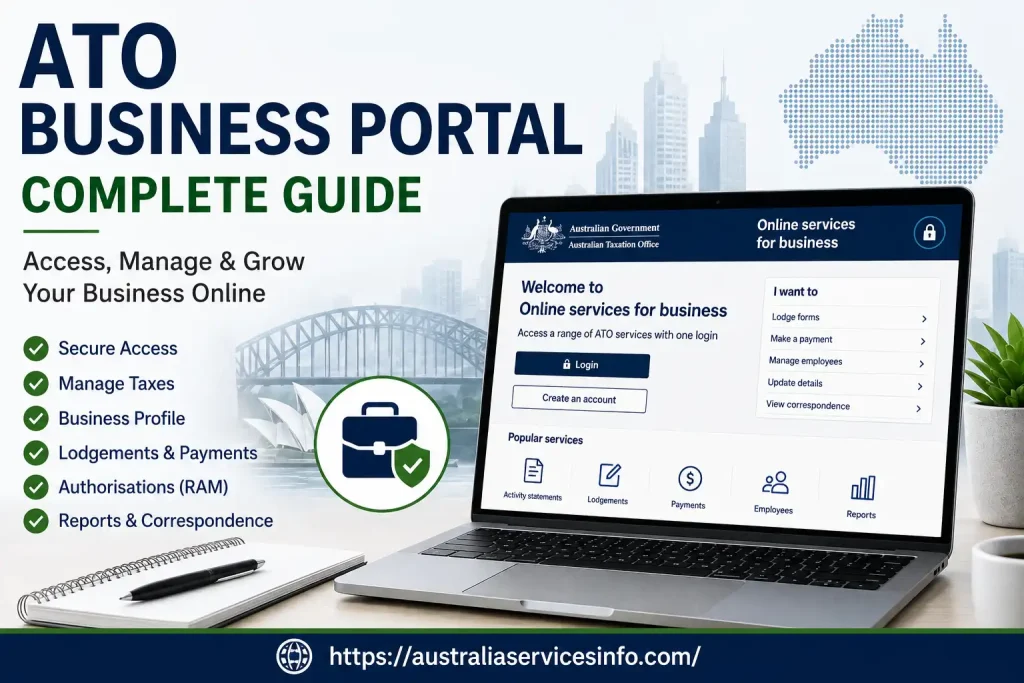
Go to the official Online services for business portal:
Step 2: Start the Digital ID Login
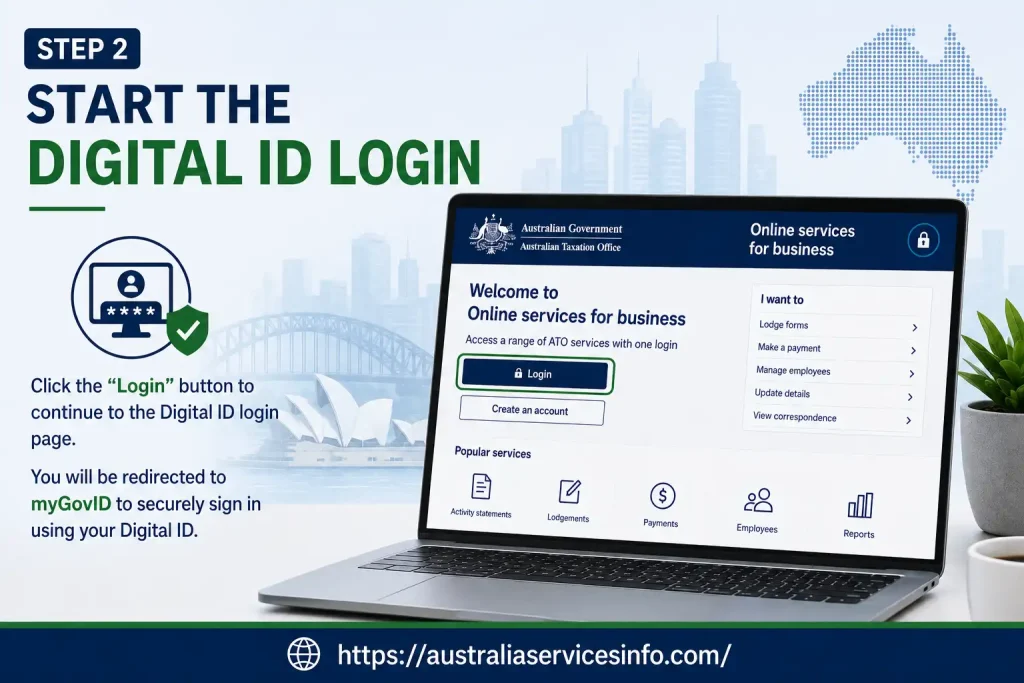
Choose the option to log in using your myGovID or Digital ID.
Enter the email address associated with your digital identity when prompted.
Step 3: Confirm the Login in Your App
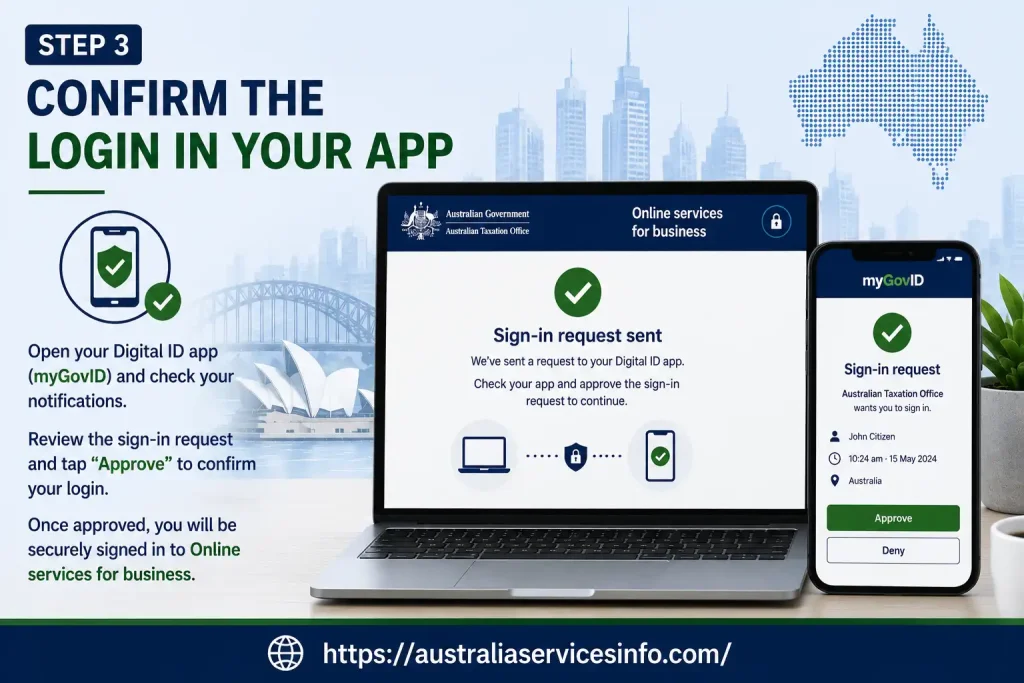
A four-digit code is displayed on the computer screen.
Open the myGovID app on your smartphone and respond to the login request. Confirm the matching code as instructed.
This additional verification step helps ensure that the person attempting to access the account is the authorised digital identity holder.
Step 4: Select the Business
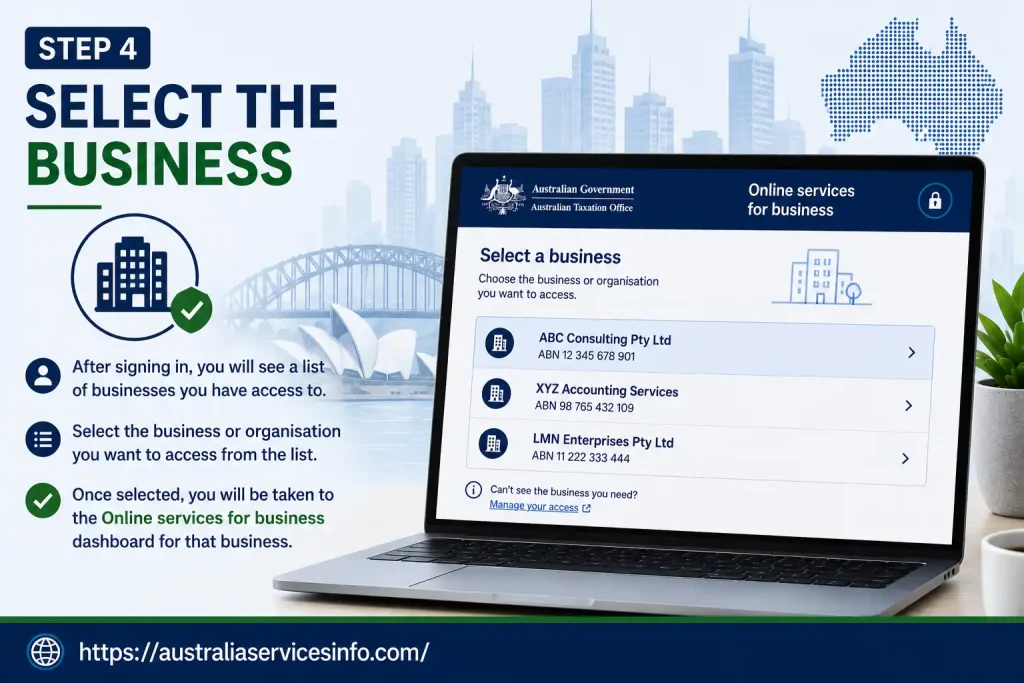
If your digital identity is authorised for more than one entity, you may be shown a list of businesses.
Choose the business you need to manage. You should then arrive at the relevant business dashboard.
Understanding the Business Dashboard
After a successful login, the dashboard provides access to the main areas used for day-to-day administration.
Home and Business Information
The home area can show outstanding actions, important dates, account balances and links to frequently used services.
This is a useful starting point because it can help you identify tasks that require attention before moving into a specific account or reporting area.
Lodgments
The lodgment area is where users can access relevant reporting obligations, including activity statements and other available forms.
Depending on the business and its obligations, the available services can include:
Payments
The payment area provides access to account information and available payment options.
Users can review account statements, make eligible payments and manage payment arrangements where available.
Employees
The employee-related area can provide access to information connected with Single Touch Payroll, superannuation obligations and taxable payments reporting where applicable.
Communication
The communication section can be used for ATO correspondence, secure messages and records associated with submitted forms.
Profile
Business profile functions can include business details, contacts, addresses and relevant financial institution information.
Keeping these details current can reduce problems when the ATO needs to communicate with the business or process relevant transactions.
How to Lodge a BAS Online
One of the most common reasons people use the ATO Business Portal is to manage activity statements.
Before entering figures, have the business records for the relevant reporting period available. The figures entered should agree with the business’s accounting records.
BAS Lodgment Process
- Sign in to Online services for business.
- Open Lodgments.
- Select Activity statements.
- Find the relevant reporting period under the available lodgments.
- Choose Prepare.
- Enter the required information for the statement.
- Review the calculated result.
- Confirm the declaration.
- Submit the completed statement.
- Keep the lodgment receipt or reference number for your records.
Depending on the business’s circumstances, fields can include G1 Total Sales, 1A GST on Sales, 1B GST on Purchases, W1 Total Salary/Wages and W2 PAYG Withheld.
What Do the Common BAS Labels Mean?
G1 — Total Sales: This is used to report total sales for the relevant period according to the applicable BAS requirements.
1A — GST on Sales: This records GST collected on relevant taxable sales.
1B — GST on Purchases: This relates to eligible GST credits associated with business purchases.
W1 — Total Salary/Wages: Where applicable, this reports gross salary and wages paid.
W2 — PAYG Withheld: This records the amount withheld from payments such as employee wages where PAYG withholding applies.
After entering the figures, use the calculation and review functions available on the statement before submitting it. Do not rely on an automatically calculated result without checking it against your records.
How to Set Up an ATO Payment Plan
A business that cannot pay an eligible tax debt in full may be able to arrange instalments rather than making the entire payment immediately.
The online payment-plan process allows a proposed arrangement to be entered and assessed against the applicable criteria.
Payment Plan Steps
- Sign in to the business service.
- Open Payments.
- Select Payment plans.
- Choose Create.
- Select the account with the outstanding amount.
- Enter any proposed upfront payment and date.
- Choose an instalment frequency.
- Enter the proposed instalment amount.
- Review the resulting schedule.
- Select the available payment method and submit the declaration.
Available frequencies can include weekly, fortnightly or monthly arrangements.
A proposal may be accepted through the automated process when it meets the relevant criteria. If it falls outside those rules, it may be referred for further assessment, or the proposed instalments may need to be changed.
Updating Business and Bank Details
Keeping business records accurate is an important part of online tax administration.
From the profile area, authorised users can access available business and financial institution settings.
For a bank-detail update, select the relevant financial institution area and choose the edit option for the applicable account. Enter the required BSB, account number and account name, then save and submit the change.
For other changes, the available profile sections can be used for addresses, contact information and business details.
Always check the information carefully before submitting changes, particularly bank details used for refunds or direct-debit arrangements.
Common ATO Business Portal Login Problems
Most access issues fall into one of three areas: identity verification, business authorisation or mismatched records.
“No Eligible Businesses Found”
This can occur when your identity details do not match the relevant Australian Business Register information or when the required association has not been established.
Check that your legal name and business association details are correct before attempting the RAM linking process again.
The Four-Digit Code Has Expired
A login verification code may expire if it is not confirmed promptly.
If this happens, request another code from the login screen and approve the new request in the myGovID app.
Identity Strength Is Too Low
If your myGovID has only Basic identity strength, the service may not allow the required access.
Follow the app’s verification process and add the additional government identity document required to reach the appropriate level.
Access Denied
An authorisation may be missing, expired or not yet accepted.
If you are an employee or representative, contact the person responsible for your business’s RAM authorisations and ask them to check your access.
ATO Business Portal Support Options
If normal troubleshooting does not resolve the problem, use the appropriate support channel for the issue.
The supplied support information lists:
When contacting support, have relevant business and identity information available, but avoid sharing passwords, security codes or other sensitive authentication information unnecessarily.
Final Checklist Before Using the Portal
Before relying on your online access for an important lodgment or payment, check these points:
The ATO Business Portal is most useful when digital identity, business authorisation and business records are all kept up to date. Once those foundations are in place, Online services for business provides a central way to manage many routine Australian business tax responsibilities online.
Frequently Asked Questions
Final Thoughts
The ATO Business Portal gives Australian businesses a practical way to manage many tax and reporting responsibilities online. With Online services for business, authorised users can lodge activity statements, review tax accounts, manage payment arrangements, update business information and communicate with the ATO from a central online service.
For first-time users, the most important preparation is getting the digital identity and business authorisation process right. Setting up myGovID, linking the business through RAM and ensuring the ABN and business records are accurate can help prevent common access problems.
Smartraveller (2026): Complete Guide to Travel Advice, Safety Alerts & Australian Consular Support
Scratch (2026): Complete Beginner’s Guide to Coding, Projects, Registration & Animation
Tax Agent Portal Login (2026): Complete Guide to ATO Online Services for Agents