

ImmiAccount Login is the first step for anyone planning to study, work, visit, migrate, or apply for Australian citizenship. As the Australian Government’s official online immigration portal, ImmiAccount allows applicants to create an account, submit visa or citizenship applications, upload supporting documents, pay application fees securely, and track their application status from anywhere in the world. Most Australian visa and citizenship applications are now managed through immiacccount making it an essential platform for international students, skilled workers, tourists, families, sponsors, and registered migration agents.
This ImmiAccount Login Guide (2026) explains everything you need to know, including how to register for an ImmiAccount, sign in securely, complete an online visa application, upload documents, make payments, manage your account, recover login credentials, enable multi-factor authentication (MFA), and monitor your application progress. Whether you’re using immiacccount for the first time or returning to manage an existing application, this step-by-step guide will help you use the portal confidently while avoiding common mistakes that could delay your Australian visa or citizenship application. Visit homepage
What Is ImmiAccount?
immi account is the official online application portal operated by the Australian Department of Home Affairs. It provides a secure platform where individuals and authorised representatives can apply for Australian visas and citizenship services, manage existing applications, communicate with the department, and submit additional information whenever required.
Instead of visiting an office or sending paper applications, users can complete nearly every stage of their immigration process through immi account, making it one of the most important online government services for people travelling to or settling in Australia.
Main Features of ImmiAccount
The portal includes a wide range of services designed to simplify immigration applications.
Online Visa Applications
Using immi account, applicants can submit applications for various Australian visas, including:
Applicants can also submit eligible Australian citizenship applications through the same account.
Secure Document Upload
Rather than posting certified copies, users can upload digital supporting documents directly into their application. This keeps all required evidence organised in one secure location.
Application Status Tracking
After submitting an application, immi account allows applicants to monitor every stage of processing, including assessment updates, requests for further information, and final decisions.
Online Payments
Applicants can securely pay Visa Application Charges (VAC) using approved online payment methods without leaving the portal.
Account Communication
Most official correspondence from the Department of Home Affairs appears inside immi account, making it easier to stay informed throughout the application process.
Who Can Use ImmiAccount?
The portal is designed for many different users, including:
Each user can manage one or multiple applications from a single secure account, depending on their circumstances.
What You Need Before Creating an ImmiAccount
Preparing everything in advance makes registration much smoother.
| Requirement | Details |
|---|---|
| Email Address | Personal email used for verification and notifications |
| Passport | Valid passport with clear scanned biodata page |
| Mobile Device | Required for Multi-Factor Authentication (MFA) |
| Internet Browser | Latest Chrome, Edge, Firefox or Safari |
| Digital Documents | PDF, JPG, JPEG, PNG or GIF format |
| Stable Internet | Recommended throughout the application process |
Supported File Types
Before uploading documents, ensure they use supported formats:
Most standard files should remain within the permitted upload size limit to prevent upload errors.
How to Create an ImmiAccount
Creating an immi account only takes a few minutes if you have your personal details ready.
Step 1 – Visit the Official ImmiAccount Portal
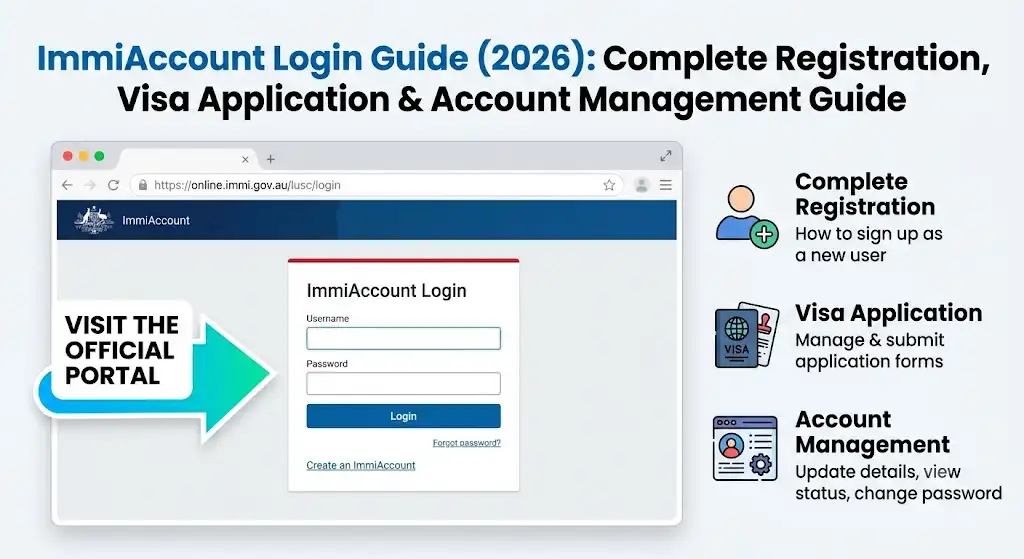
Open the official immi acccount login page using the Australian Department of Home Affairs website.
Select Create immi account to begin registration.
Step 2 – Choose Your Account Type
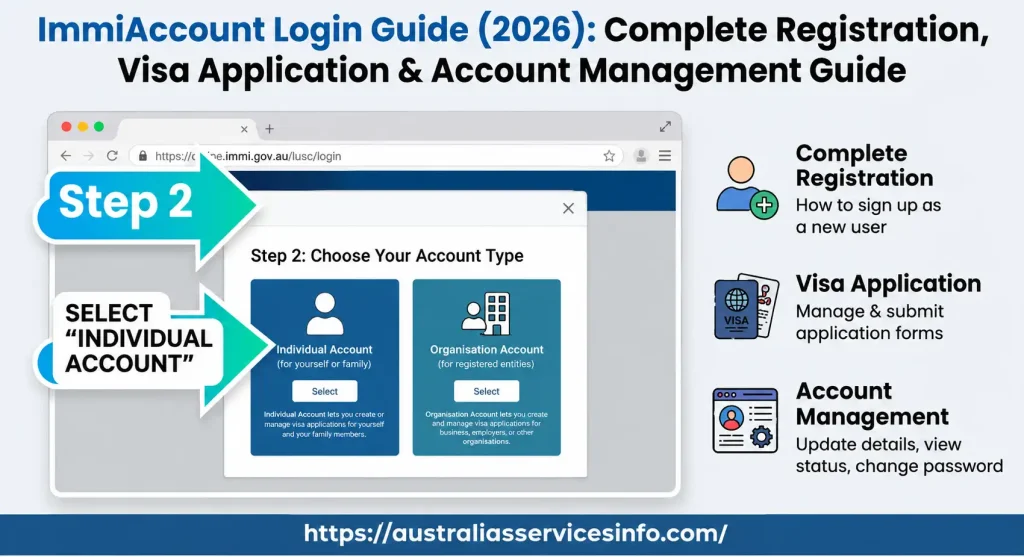
You’ll be asked which type of account you wish to create.
Most applicants should select:
Individual Account
This option is suitable for:
Organisation accounts are intended for businesses and authorised migration representatives.
Step 3 – Enter Your Personal Information
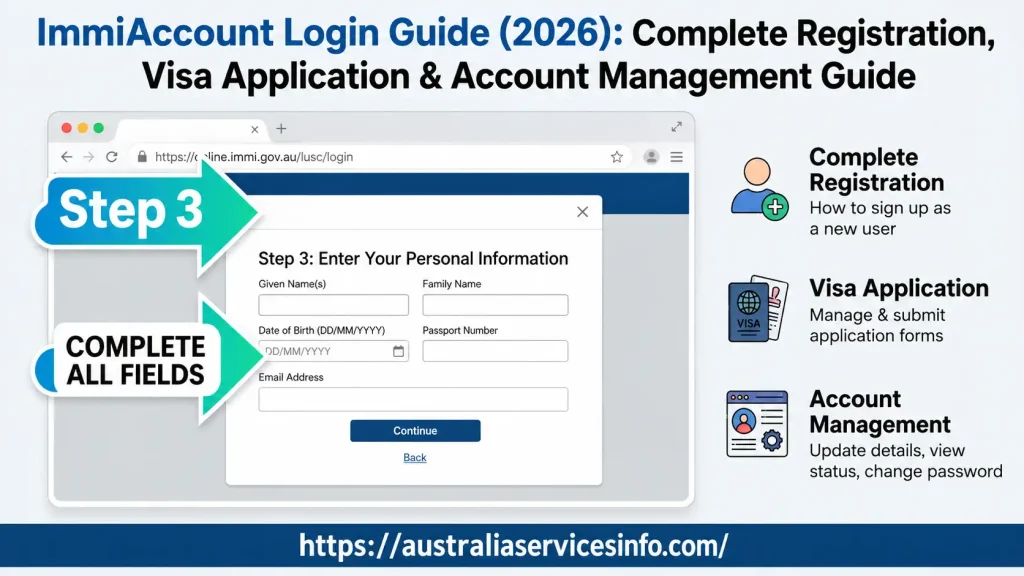
Provide accurate personal details, including:
Always ensure these details exactly match your passport and official identity documents. Even small spelling differences can create unnecessary complications later.
Step 4 – Create Login Credentials
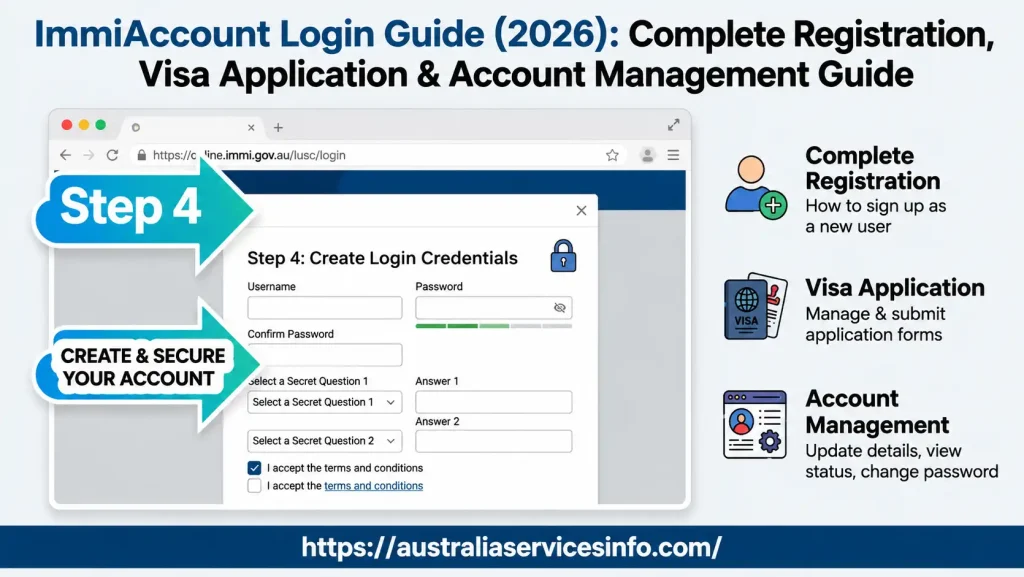
Next, you’ll create your account security details.
This includes:
A strong password should contain a combination of uppercase letters, lowercase letters, numbers, and special characters while remaining unique to your account.
Step 5 – Verify Your Email Address
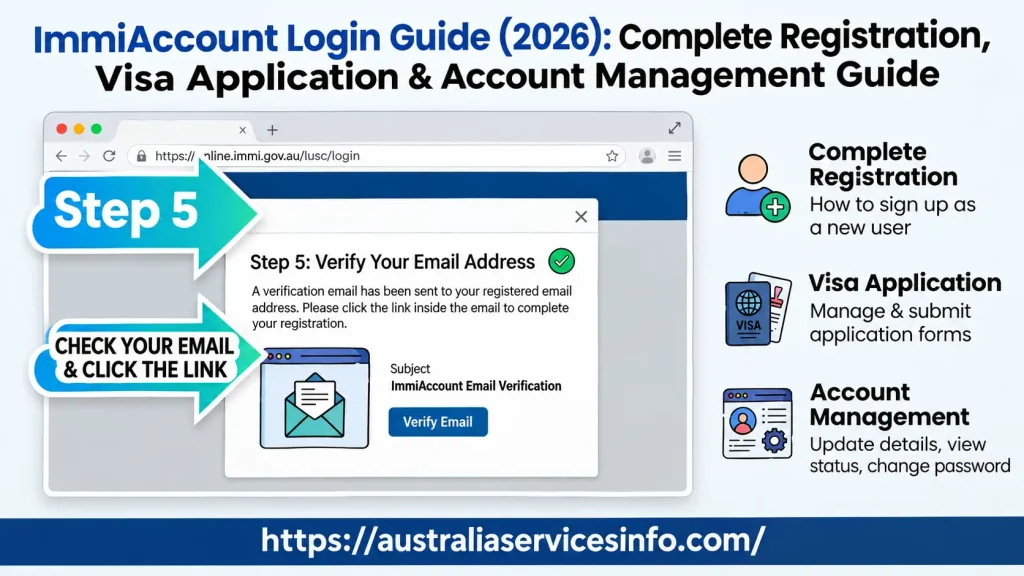
After registration, you’ll receive a verification email.
Open the message and click the activation link to confirm your email address.
Your account will then become active.
Step 6 – Enable Multi-Factor Authentication (MFA)
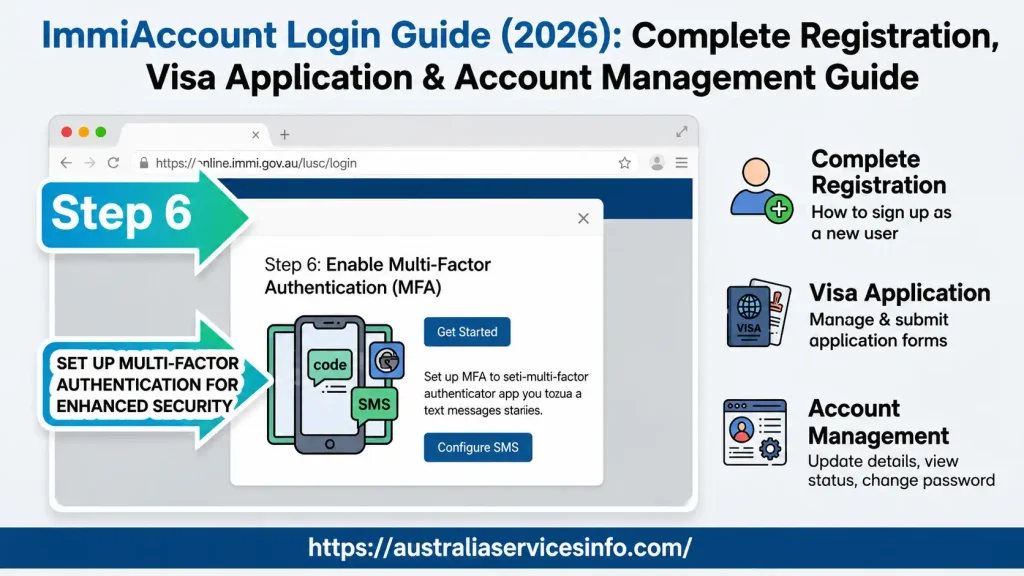
Once activated, sign in to your new immi account and configure Multi-Factor Authentication.
This additional security step protects your immigration information and helps prevent unauthorised access.
Common verification options include:
Tip: Keep your recovery information safe. Losing access to your authentication device can delay future logins.
Understanding the ImmiAccount Dashboard
After signing in, you’ll arrive at the main dashboard.
From here you can:
Everything related to your Australian immigration process is managed from this single dashboard.
How to Apply for an Australian Visa Using ImmiAccount
Once your immi account has been created and secured with Multi-Factor Authentication (MFA), you can begin your Australian visa application online. The portal guides applicants through each stage, but entering accurate information and uploading the correct documents is essential for avoiding unnecessary delays.
Step 1 – Sign In to ImmiAccount
Log in using your:
After successful authentication, you’ll be taken to your personal dashboard.
Step 2 – Select New Application
From the dashboard, click the New Application button.
The portal will display different visa and citizenship categories available for online applications.
Choose the category that matches your purpose of travel before proceeding.
Step 3 – Choose the Correct Visa Stream
immi acccount groups applications into different categories.
Examples include:
Always select the correct visa subclass, as changing it later may require starting a new application.
Step 4 – Accept the Online Declaration
Before completing the application, you’ll be asked to read the online declaration and terms of use.
Carefully review the information and confirm that all details you provide will be true and accurate.
Only continue after accepting the declaration.
Step 5 – Complete Every Section of the Application
The application is divided into multiple sections that must be completed in order.
Typical sections include:
Personal Details
Enter your legal name exactly as it appears on your passport.
Provide:
Passport Information
Add your passport details carefully.
This normally includes:
Even a small typing mistake may affect processing.
Contact Information
Provide your current:
Ensure your email remains active throughout the application process because important updates are sent electronically.
Travel History
Some visa categories require previous travel information.
Applicants may need to provide details about:
Answer every question honestly and accurately.
Character and Background Questions
The portal asks several declarations relating to your background.
These may include questions regarding:
Incorrect answers may delay processing or affect the outcome of your application.
Health Information
Depending on the visa type, applicants may also answer health-related questions.
Additional medical examinations may be requested later if required.
Review Your Application Before Submission
Before moving to payment, carefully review every page of your application.
The Application Summary screen allows you to check:
If the system highlights any incomplete sections, correct them before continuing.
Taking a few extra minutes at this stage can prevent avoidable delays.
Uploading Supporting Documents in ImmiAccount
Supporting documents help the Department of Home Affairs assess your application.
Incomplete or unclear uploads may increase processing time.
Best Practices Before Uploading
To improve the quality of your submission:
Examples of clear filenames include:
How to Attach Documents
Follow these steps to upload files:
- Open your submitted or saved application.
- Select Attach Documents.
- Choose the appropriate document category.
- Click Choose File.
- Select the file from your device.
- Add a short description if required.
- Click Attach.
After uploading, confirm that the document status displays Received, indicating that the file has been successfully added to your application.
Paying the Visa Application Charge (VAC)
Most applications require payment before they can be processed.
immi acccount supports several secure payment methods.
| Payment Method | Availability |
|---|---|
| Credit Card | Supported |
| Debit Card | Supported |
| PayPal | Supported |
| UnionPay | Supported |
| BPAY | Available for eligible Australian bank accounts |
After payment is approved, a receipt is generated and linked to your application.
Only submit your application once you have confirmed that the payment has been processed successfully.
Final Checklist Before Submission
Before clicking Submit, confirm that:
- ✔ Every mandatory field has been completed.
- ✔ Passport information is accurate.
- ✔ Supporting documents have been uploaded.
- ✔ Files are clear and readable.
- ✔ Payment has been completed successfully.
- ✔ All information has been been reviewed for accuracy.
Completing this checklist helps reduce the chance of delays caused by missing information.
Track Your ImmiAccount Application After Submission
Submitting your application is only one part of the immigration process. After your application has been lodged, immi acccount becomes your central portal for monitoring progress, receiving official updates, responding to document requests, and managing changes to your personal information. Regularly signing in helps you stay informed and ensures you don’t miss important notifications from the Department of Home Affairs.
Understanding ImmiAccount Application Status
Every application displayed in your dashboard includes a status that shows its current stage of processing.
| Application Status | Meaning |
|---|---|
| Incomplete | Your application has been started but not yet submitted or paid for. |
| Submitted | Your application and payment have been successfully received. |
| Initial Assessment | The Department has started reviewing your application. |
| Further Assessment | Additional documents or information have been requested before a decision can be made. |
| Finalised | A decision has been completed. Check your messages for the official outcome letter. |
Application processing times vary depending on the visa category, document completeness, security checks, and overall application volume.
Updating Your Details After Lodging an Application
Sometimes your personal circumstances change after submitting an application. immi acccount allows eligible applicants to notify the Department of these changes directly through their account.
You may be able to update information such as:
Keeping your details current helps ensure you continue receiving important updates throughout the assessment process.
Common ImmiAccount Problems and Their Solutions
Most login or application issues can be resolved quickly by following a few basic troubleshooting steps.
1. System Unavailable Error
This message usually appears during scheduled maintenance or when the portal is experiencing heavy traffic.
Possible solutions:
2. Unable to Access Multi-Factor Authentication (MFA)
Changing your mobile phone or deleting your authenticator application may prevent you from logging in.
You can try to:
Keeping backup authentication information in a secure location can prevent future access issues.
3. Document Upload Failed
If your documents fail to upload, the issue is often related to file size or file format.
Check the following:
Compressing large PDF files before uploading can often resolve this problem.
4. Payment Was Declined
Online payments occasionally fail because of banking restrictions or expired sessions.
Before trying again:
Avoid making multiple payment attempts simultaneously, as this may result in duplicate transactions.
Security Tips for Your ImmiAccount
Because your account contains sensitive immigration and personal information, protecting your login credentials is essential.
Follow these security recommendations:
Taking these precautions helps reduce the risk of unauthorised access.
Best Practices Before You Submit Any Application
A well-prepared application has a better chance of progressing without unnecessary delays.
Before submitting, remember to:
Frequently Asked Questions (FAQs)
Conclusion
ImmiAccount is the official online gateway for managing Australian visa and citizenship applications from start to finish. Whether you’re creating a new account, applying for a student visa, uploading supporting documents, tracking your application’s progress, or responding to requests from the Department of Home Affairs, the portal keeps everything organised in one secure place.
By preparing your documents in advance, providing accurate information, enabling Multi-Factor Authentication, and checking your account regularly, you can make the application process smoother and reduce the likelihood of avoidable delays. Following the guidance in this article will help first-time applicants and returning users confidently navigate every stage of using immi account in 2026.
READ MORE:
Goodstart Intranet 2026: Staff Login, Employee Tools & Services
Blacktown Council Pick Up 2026: Household Clean-Up Service Guide
WOVI Inspection 2026: Complete Guide to Booking, Requirements and Vehicle Inspection
Blue Slip NSW: Complete Guide to the AUVIS Inspection in 2026
myGov Australia (2026): Complete Guide to Login, Services & Account Access